

In today's interconnected world, a website is often the first point of contact for customers, clients, and community members. Yet, many businesses overlook a crucial aspect: ensuring their website is usable by everyone, regardless of their abilities. Imagine a potential customer trying to navigate your site but encountering barriers because they use a screen reader, have limited motor skills, or perceive colors differently. This isn't just an inconvenience; it's a significant exclusion that can alienate a substantial portion of your audience. The good news is that understanding web accessibility for beginners doesn't have to be daunting, and implementing simple changes can make a profound difference.
Building an accessible website isn't just about compliance; it's about fostering digital inclusion and providing a superior user experience for all. When your website is designed with accessibility in mind, you open your digital doors wider, reaching more people and demonstrating a commitment to equity. From basic navigation enhancements to thoughtful content presentation, there are numerous easy accessibility tips that can transform your site. This guide will walk you through simple ways to make your website accessible for everyone, helping you understand web accessibility and take actionable steps.
READ ALSO: Simple Ways to Keep Your Website Content Fresh and Up to Date
Why Web Accessibility Matters More Than You Think

The question of "why web accessibility matters" extends far beyond legal mandates or ethical considerations. While both are undeniably important, the benefits of accessible websites directly impact your business's bottom line and reputation. Firstly, it expands your potential audience. A significant portion of the population has some form of disability, and by excluding them, you're missing out on valuable customers. Ensuring website access means tapping into this often-underserved market.
Secondly, inclusive web design often leads to better overall search engine optimization (SEO). Many accessibility best practices, such as clear semantic HTML, descriptive alt text for images, and well-structured headings, are also factors that search engines use to understand and rank your content. This means that efforts to improve website accessibility can simultaneously boost your visibility online. Furthermore, an accessible site provides a better experience for everyone, not just those with disabilities. Clear navigation, well-organized content, and good color contrast benefit all users, enhancing general website usability and website speed importance for business, leading to higher engagement and lower bounce rates. This holistic approach to design directly contributes to a superior UX accessibility for all visitors.
Core Principles of Accessible Design for Websites
To truly implement web accessibility, it's helpful to understand the core principles that guide accessible design. These are often summarized by the POUR acronym: Perceivable, Operable, Understandable, and Robust, which form the foundation of the WCAG guidelines (Web Content Accessibility Guidelines). For web accessibility for beginners, grasping these concepts is key to a structured approach.
Perceivable: Ensuring Everyone Can Experience Your Content
Content must be presented in ways that can be perceived by all users. This primarily means providing alternatives for non-text content. For instance, all images should have descriptive alt text so that screen readers can convey their meaning to visually impaired users. Videos should include captions for the hearing impaired and potentially audio descriptions for the visually impaired. Similarly, color should not be the only means of conveying information, as users with color blindness might miss critical cues. Implementing high contrast ratios is another simple yet impactful way to make content perceivable.
Operable: Making Sure Everyone Can Navigate and Interact
The interface and navigation must be operable. This is where keyboard accessibility becomes paramount. Many users, including those with motor disabilities or who use assistive technology, rely solely on keyboard navigation (tab, enter, arrow keys) to move through a website. Ensuring all interactive elements (buttons, links, forms) are reachable and operable via keyboard is fundamental. This also extends to time-sensitive content; users need sufficient time to read and interact with content, so avoid rapidly expiring sessions or auto-playing media without controls. Focusing on intuitive navigation paths greatly enhances overall website usability.
Understandable: Presenting Clear and Predictable Content
Information and the operation of the user interface must be understandable. This involves clear, concise language, avoiding jargon where possible, or providing definitions when necessary. Consistency in navigation and layout helps users predict how your site will behave, reducing cognitive load. Error messages should be clear, concise, and provide actionable advice for correction. Form labels should be explicit and associated correctly with their input fields. By making content predictable and easy to comprehend, you significantly enhance the user experience for all.
Robust: Building for Compatibility with Future Technologies
Content must be robust enough to be interpreted reliably by a wide range of user agents, including current and future assistive technology. This primarily boils down to using clean, semantic HTML. For example, using proper heading tags (<h1>, <h2>, etc.) to structure your content instead of just styling text to look like headings, allows screen readers to create an outline of your page. Similarly, using standard HTML form elements rather than custom-built, inaccessible ones ensures broad compatibility. This principle ensures that your investment in web accessibility remains effective over time.
Practical Steps: How to Make Website Accessible with Simple Changes
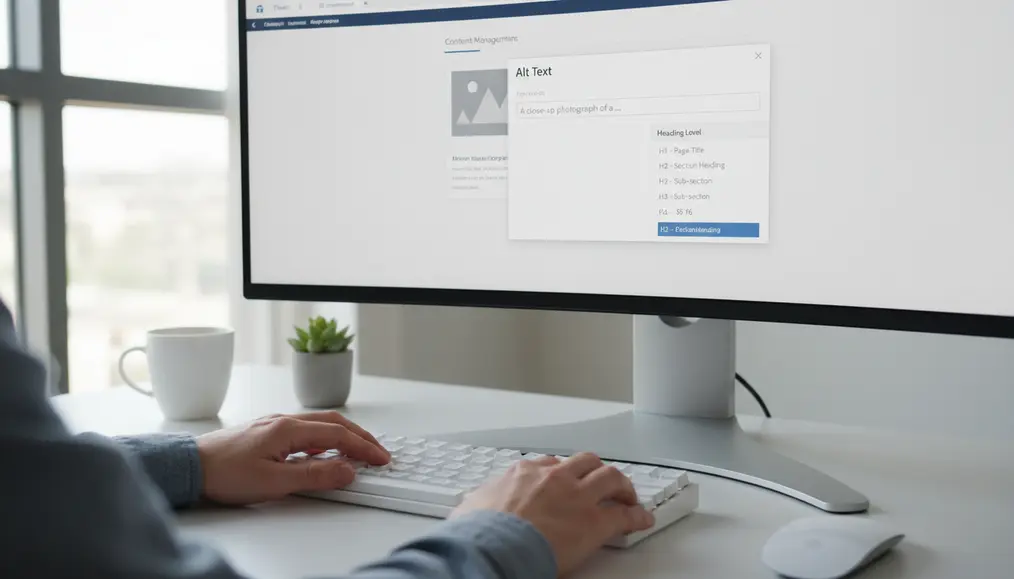
Now that we've covered the core principles, let's dive into concrete, easy accessibility tips you can apply to improve website accessibility. These steps are excellent for anyone looking to learn accessible design, particularly for web accessibility for beginners.
1. Use Semantic HTML Structure
The simplest yet most powerful step is to use HTML correctly and semantically. This means using <h1> for your main page title, <h2> for major sections, <p> for paragraphs, and <ul> or <ol> for lists. Avoid using <div> elements for everything and styling them to look like headings or lists. Semantic HTML provides an inherent structure that assistive technology relies upon to convey information accurately. This is fundamental for any accessible design effort.
2. Provide Alt Text for All Images
Every image on your website should have a descriptive alt attribute. This text describes the image's content and purpose for users who cannot see it, such as those using screen readers. For example, instead of alt="image", use alt="A person typing on a laptop with a cup of coffee beside them". If an image is purely decorative and conveys no information, you can use alt="". This is a critical component of making content perceivable and enhancing website access for visually impaired users. It also supports better SEO by providing context to search engines, reinforcing the benefits of accessible practices.
3. Ensure Keyboard Navigation and Focus Indicators
Test your entire website using only the keyboard. Can you reach every interactive element (links, buttons, form fields)? Does pressing 'Tab' move predictably through the page? Are there visible focus indicators (e.g., an outline around the focused element) so users know where they are on the page? This is vital for users with motor disabilities and those who don't use a mouse. A robust keyboard navigation system is a hallmark of good UX accessibility.
4. Maintain Good Color Contrast
Text and interactive elements must have sufficient contrast against their background. This is crucial for users with low vision or color blindness. There are many free online tools that can check your color contrast ratios against WCAG guidelines. Aim for at least a 4.5:1 ratio for normal text. This simple adjustment ensures your content is perceivable by a broader audience, contributing significantly to digital inclusion.
5. Make Forms Accessible
Forms are often a barrier. Ensure all form fields have clear, associated labels (using the <label for="id"> attribute). Provide clear instructions and helpful error messages that are easily understood. Make sure error messages are programmatically tied to the relevant input field so assistive technology can announce them. This ensures operability and understandability for all users when interacting with your site.
6. Provide Transcripts and Captions for Media
For any audio or video content, provide text alternatives. Captions for videos benefit hearing-impaired users, while transcripts allow both hearing-impaired and visually-impaired users to access the content in a format they can consume at their own pace. This is another fundamental step in making your content perceivable and supporting a truly inclusive web design. As you work to make your content perceivable, consider how you approach choosing the right images and photos for your new website, ensuring they align with accessibility best practices.
7. Ensure Responsive Design
While often associated with mobile-friendliness, responsive design also plays a role in accessibility. A site that adapts well to different screen sizes and orientations can benefit users who zoom in significantly or use unique display settings. Ensuring your website is fully mobile friendly website benefits not just mobile users but also enhances the adaptability and accessibility for all. This contributes to website usability across various devices and preferences.
8. Test with Accessibility Tools
There are many tools for web accessibility available, both free and paid. Browser extensions like Lighthouse, axe DevTools, or WAVE can help identify common accessibility issues. While automated tools don't catch everything, they are an excellent starting point for web accessibility for beginners to get a quick overview and identify critical errors that need fixing. Regularly running these checks can help you consistently improve website accessibility.
Benefits of Accessible Websites Beyond Compliance

Beyond the moral and legal imperatives, creating an accessible website offers tangible business advantages. When you implement web accessibility, you inherently improve the overall quality of your digital presence. Better structured content is easier to maintain and update, reducing long-term development costs. The focus on clear navigation and intuitive interfaces means your site will be easier to use for everyone, leading to higher customer satisfaction. This improved user experience for all translates into increased conversions and brand loyalty. Moreover, demonstrating a commitment to digital inclusion can significantly enhance your brand's reputation, showing that you care about serving a diverse customer base. This can lead to positive public relations and a stronger connection with your community. Ultimately, the benefits of accessible websites are holistic, impacting everything from your technical foundation to your public image.
Common Mistakes to Avoid in Web Accessibility
When starting your journey with web accessibility for beginners, it's easy to fall into common traps. Recognizing these can save you time and ensure your efforts are truly impactful in making your website access available to all.
1. Relying Solely on Automated Tools
While tools for web accessibility are invaluable, they can only catch about 20-30% of all accessibility issues. Many critical problems, especially those related to context, meaning, and user experience, require manual review. This includes things like the clarity of alt text (is it truly descriptive?), the logical flow of content for screen reader users, and whether interactive elements are intuitively operable. A comprehensive checklist for accessible website implementation always includes manual testing.
2. Neglecting Keyboard Navigation
One of the most frequent oversight is poor keyboard accessibility. If a user cannot navigate every part of your website, including modals, dropdowns, and forms, using only the Tab key, Enter, and arrow keys, your site is not truly operable for many users. This is a fundamental aspect of WCAG guidelines and essential for UX accessibility.
3. Using Color as the Only Indicator
Never rely solely on color to convey information. For example, if you highlight required form fields only in red, a color-blind user might miss that distinction. Always pair color cues with another indicator, such as an asterisk (*), a label, or an icon. This is a direct violation of the Perceivable principle and a common mistake in inclusive web design.
4. Unclear Link Text and Button Labels
Links and buttons should clearly describe their purpose out of context. Avoid generic phrases like "Click Here" or "Read More" without additional context. Instead, use "Read more about our services" or "Download the full report (PDF)". This helps screen reader users understand where a link will take them without having to listen to the surrounding text. Clear, concise labeling is key to an understandable interface.
5. Insufficient Contrast Ratios
Low contrast between text and background colors is a persistent problem on many websites. While designers might prefer subtle aesthetics, this often renders text unreadable for users with low vision or certain cognitive disabilities. Always adhere to the recommended contrast ratios (e.g., 4.5:1 for normal text) to ensure your content is perceivable. This is a straightforward fix with a significant impact on website usability.
Why choose Bornneo.Lab for Web accessibility for beginners?
- 🌟 Client-focused delivery with clear scope, timelines, and measurable outcomes aligned to your business goals.
- 🧩 End-to-end support from discovery and strategy to implementation, documentation, and handover.
- 📌 Practical solutions built to fit your existing stack and team workflow—no unnecessary complexity.
Conversion-Driven Design
We design digital experiences with a clear purpose. Every layout, interaction, and call-to-action is strategically crafted to guide users toward meaningful conversions—whether that means leads, sign-ups, or business inquiries.
Mobile-First & Responsive
With the majority of users accessing websites from mobile devices, we prioritize responsiveness from day one. Our solutions adapt seamlessly across screen sizes while maintaining performance and usability.
SEO & Performance Optimized
We build with technical SEO, site speed, and performance best practices in mind—helping your website earn visibility, trust, and sustainable organic growth.
Bornneo.Lab Client Testimonials
★★★★★ – Sarah L.: Bornneo.Lab helped us make our e-commerce site truly accessible, and we've seen a noticeable improvement in user engagement and sales. Their team was incredibly thorough and knowledgeable.
★★★★★ – David R.: As a small business owner, I needed simple ways to make my website accessible. Bornneo.Lab provided clear, actionable steps and fantastic support. Highly recommend!
★★★★★ – Emily P.: Our non-profit struggled with accessibility, but Bornneo.Lab made the process so straightforward. They truly delivered an inclusive web design that perfectly meets our needs.
★★★★★ – Mark T.: The team at Bornneo.Lab did an amazing job improving our website accessibility. Their expertise in WCAG guidelines was evident, and the results speak for themselves.
★★★★★ – Jessica M.: We wanted a website that was accessible for everyone, and Bornneo.Lab delivered. Their solutions were practical, effective, and tailored to our specific requirements.
READ ALSO: Choosing the Right Images and Photos for Your New Website
Frequently Asked Questions about Web Accessibility
Q1: What are the WCAG guidelines, and why are they important?
The WCAG guidelines (Web Content Accessibility Guidelines) are a set of internationally recognized recommendations for making web content more accessible. They cover a wide range of recommendations for making web content more accessible. They are important because they provide a comprehensive framework to improve website accessibility for people with various disabilities, ensuring a consistent and high standard for inclusive web design. Adhering to them helps ensure legal compliance and a better user experience for all.
Q2: Can making my website accessible be costly?
Not necessarily. While a complete overhaul can involve investment, many simple ways to make your website accessible for everyone, especially for web accessibility for beginners, involve minor adjustments that are low-cost or even free, such as adding alt text, improving color contrast, or using semantic HTML. Incorporating accessibility from the start of a project, which Bornneo.Lab champions, is always more cost-effective than retrofitting it later. Thinking about how to make website accessible from the initial design phase is crucial.
Q3: How often should I check my website for accessibility?
Accessibility is not a one-time fix; it's an ongoing process. You should regularly perform checks, especially after significant content updates or design changes. Automated tools for web accessibility can be run frequently, and periodic manual reviews (e.g., quarterly or semi-annually) are recommended to ensure comprehensive coverage. This is part of general website maintenance importance and hygiene.
Q4: What is the biggest mistake beginners make in web accessibility?
For web accessibility for beginners, the biggest mistake is often underestimating the importance of keyboard navigation or relying too heavily on visual cues alone. Many users depend on keyboard access and focus indicators, and neglecting these can completely block access to your site. Another common error is assuming that automated checks catch everything; manual testing, especially with actual assistive technology users, provides invaluable insights to truly improve website accessibility.
Conclusion: Your Path to a Truly Accessible Web Presence
Making your website accessible isn't just a technical task; it's a commitment to creating an inclusive digital space. By understanding the core principles of web accessibility for beginners and implementing simple ways to make your website accessible for everyone, you not only comply with ethical standards but also unlock significant business advantages. From expanding your audience and improving SEO to enhancing your brand's reputation, the benefits of accessible websites are clear and compelling. Whether it's ensuring proper alt text, enabling robust keyboard navigation, or maintaining good color contrast, every step you take contributes to a more equitable and functional web. This journey towards digital inclusion starts with a clear understanding and a proactive approach.
At Bornneo.Lab, we believe that every website deserves to be accessible, functional, and engaging for all users. We specialise in helping businesses like yours navigate the complexities of web accessibility, offering practical solutions to implement web accessibility effectively. Let us help you ensure your digital presence truly serves everyone, providing a seamless and enriching user experience for all. Don't let accessibility be an afterthought; make it a cornerstone of your digital strategy. Our experienced web design team is ready to guide you.
Contact Us
Ready to move forward with clarity and confidence? Get direct insights and tailored recommendations by speaking with our team.
Disclaimer: The information provided in this article is for general informational purposes only and does not constitute legal, financial, or professional advice. While we strive to provide accurate and up-to-date content, Bornneo.Lab makes no representations or warranties of any kind, express or implied, about the completeness, accuracy, reliability, suitability, or availability with respect to the website or the information, products, services, or related graphics contained on the website for any purpose. Any reliance you place on such information is therefore strictly at your own risk. It is recommended to consult with experienced professionals for advice tailored to your specific situation.